
Should parents check their child’s phone? Yes — openly, with the child’s knowledge, and less often as the child gets older. Checking in secret is a different act with different consequences, and most parents never see the costs coming.
This guide covers what the research actually shows, how the rules shift by age, which tools are safe to install, and where the legal line sits for readers in the US and India.
Should Parents Check Their Child’s Phone? The Short Answer
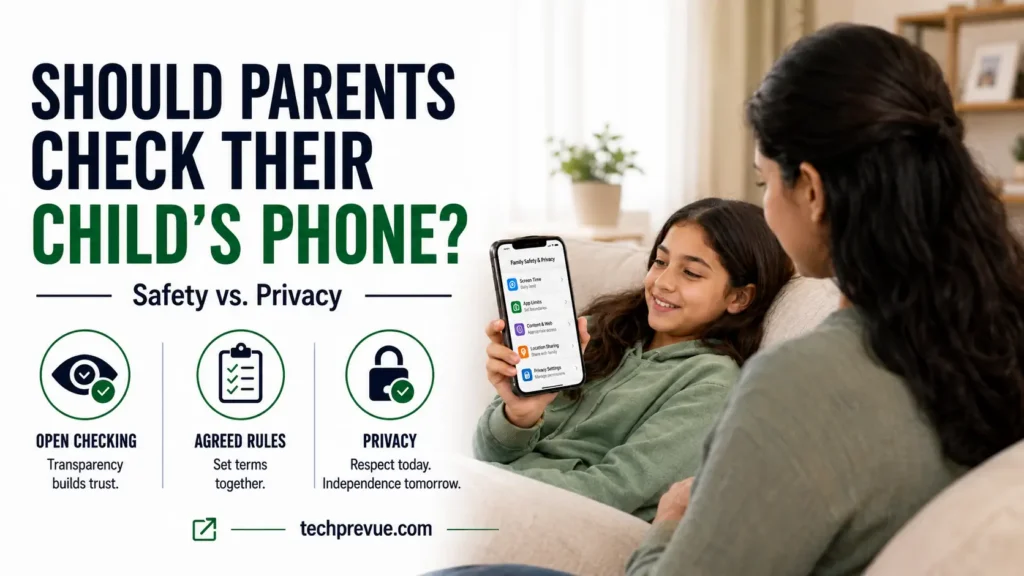
Check the phone, but tell your child you are doing it and agree the terms in advance. Transparent checking protects a child. Covert surveillance damages the relationship that keeps them safe.
The distinction matters more than the frequency. A parent who says “I will look at your messages on Sunday evenings, with you in the room” is doing something a child can understand and eventually outgrow. A parent who installs hidden software is teaching a different lesson about how relationships work.
That second approach also fails on its own terms. Children discover monitoring far more often than parents expect, and the discovery costs more trust than the information was ever worth.
What the Research Says About Parents Checking Phones
Roughly half of US parents say they have looked through their teenager’s phone, according to Pew Research Center. That share falls to 41% among parents of 15- to 17-year-olds, which tells you something useful: parents already loosen the rules as children mature.
Nearly all US teens now have smartphone access, so this is no longer a question about whether to allow a device. It is a question about what supervision looks like once the device is in the house.
Children have strong opinions about the answer. A 2018 study of 736 child-written app reviews found that 76% of reviewers aged 8 to 19 gave parental control apps a single star. Their complaint was consistent: the apps felt invasive and damaged their relationship with their parents.
That finding does not mean supervision is wrong. It means the method determines whether supervision works or backfires.
Checking, Monitoring, and Spying Are Three Different Things
These three words get used interchangeably, and the confusion causes real harm. They describe different activities with different risk profiles.
| Checking | Monitoring | Spying | |
|---|---|---|---|
| Child knows | Yes | Yes | No |
| Tooling | None needed | Built-in controls | Third-party covert app |
| Data leaves device | No | Stays with Apple, Google or Microsoft | Sent to a vendor server |
| Relationship effect | Neutral to positive | Neutral | Damaging on discovery |
Checking means looking at the device with the child’s knowledge, ideally with them present. Monitoring means using built-in controls that report activity to a parent account, which the child can see is active. Spying means covert installation of software the child is not told about.
The first two are ordinary parenting. The third is the category security researchers call stalkerware, and it carries risks covered further down this page.
Should the Rules Change as Your Child Gets Older?
Yes. Supervision should taper as a child demonstrates judgment, and the schedule should be explicit rather than improvised. Developmental readiness matters more than the birthday itself.
Ages 6 to 10: Shared devices, full visibility
Young children should use devices in shared rooms on accounts you control. Full visibility is appropriate here and needs no negotiation.
Set content filters and purchase locks at setup rather than reacting later. Our guide to the dangers of the internet for kids under 13 covers the specific threats worth filtering for.
Ages 11 to 13: The first phone and the family agreement
Write down the terms before the phone is handed over. State what you will look at, how often, and what would prompt an unscheduled check.
This is also when social platforms enter the picture, so agree which apps are allowed. The American Academy of Pediatrics Family Media Plan gives a usable template for the conversation.
Ages 14 to 17: Fewer checks, agreed in advance
Move from routine inspection to periodic check-ins that your teenager knows are coming. Frequent checks at this age produce concealment, not compliance.
Keep the right to check on cause, and say so plainly. A teenager who knows the conditions is far more likely to accept them than one who discovers a search after the fact.
Age 18 and over: You need their consent
Once your child is a legal adult, checking their phone without permission is no longer parenting. Accessing an adult’s device or accounts without consent may break the law even when you pay the bill.
Are Spy Apps Safe to Install on Your Child’s Phone?
No. Covert monitoring apps have one of the worst security records in consumer software, and installing one puts your family’s data at risk alongside your child’s.
TechCrunch maintains a running count of surveillance operations that have been hacked or have leaked customer and victim data since 2017. The list passed 23 companies in early 2025 and has continued to grow.
The individual breaches are not small. SpyX exposed roughly two million users in March 2025, and Cocospy, Spyzie and Spyic together leaked more than three million customer email addresses.
Catwatchful, marketed openly as a child monitoring app, exposed 62,000 customer emails and passwords in plain text. The phone data of 26,000 monitored people went with them.
Academic work points the same direction. A 2025 study published in Proceedings on Privacy Enhancing Technologies found that 80% of the in-store parental control apps it analyzed matched known stalkerware indicators.
When one of these vendors is breached, the exposed data is your child’s messages, photos and location history. If you suspect software of this kind is already on a device in your house, our guide on codes to check if a phone is hacked or tapped explains what to look for.
Safer Parental Controls Already Built Into the Phone
Apple, Google and Microsoft all ship free supervision tools that work overtly, keep data inside accounts you already trust, and cannot be hidden from the child.
Apple Screen Time handles app limits, downtime schedules, content restrictions and purchase approvals on iPhone and iPad. Communication Safety adds on-device detection of explicit images in Messages and FaceTime, alerting the child rather than reporting the content to a parent dashboard.
Google Family Link covers the same ground on Android, with app approvals, screen time limits and location sharing, plus filtering across Chrome, YouTube and the Play Store. Microsoft Family Safety extends supervision to Windows PCs and Xbox, which matters if gaming is where the time goes.
These tools do less than covert apps advertise. That is the point: they supervise without reading private conversations, and your child can see they are switched on.
When Should You Check Your Child’s Phone Right Away?
Some situations justify an unscheduled check, and your family agreement should name them in advance so the check is not experienced as a betrayal.
Look for changes you can observe without the phone: withdrawal from friends or activities, sleep disruption, secrecy around a specific app or contact, sudden distress after using the device, or unexplained money movement. Requests for images, threats to share images, and pressure to move a conversation to a private app are all warning signs of grooming or sextortion.
Treat these as reasons to talk first and look second. A phone search tells you what happened; a conversation tells you what your child needs.
If you see signs that your child may be in crisis or thinking about harming themselves, do not rely on a tracking app to manage it. Contact your child’s doctor or a mental health professional.
In the US, the 988 Suicide and Crisis Lifeline is available by call or text. In India, the government Tele-MANAS helpline operates on 14416.
Is It Legal for Parents to Check a Child’s Phone?
In the US and India, a parent or guardian may generally access a device belonging to their own minor child. That permission does not extend to another family’s child, to your child’s friends, or to your child once they turn 18.
Covert third-party monitoring software sits in a narrower space. Installing it on any device belonging to an adult without consent is unlawful in most jurisdictions, and vendors marketing these tools for partner surveillance have drawn enforcement attention.
The rules governing companies have tightened sharply. The FTC’s amended COPPA Rule took effect on June 23, 2025, with full compliance required from April 22, 2026, adding separate parental consent for third-party data sharing and banning indefinite retention of children’s data. In September 2025 Disney agreed to a $10 million penalty to settle FTC allegations that it mislabeled child-directed YouTube videos, enabling data collection from under-13s without parental consent.
Frequently Asked Questions
Should parents check their child’s phone without telling them?
No. Secret checking produces the worst outcome available: if your child finds out, you lose trust permanently, and if they do not, you have still normalized surveillance inside your home. Tell them the terms first.
At what age should parents stop checking their child’s phone?
There is no fixed age. Reduce checks through the teenage years as your child shows judgment, and stop entirely at 18 unless they invite you in.
Do parental control apps actually work?
Built-in tools from Apple, Google and Microsoft work well for time limits, content filtering and location. Third-party covert apps carry serious breach risk and are not worth installing.
What should a family phone agreement include?
Name the apps allowed, the hours the phone is available, what you will check and how often, what triggers an unscheduled check, and what happens when rules are broken.
Can checking my child’s phone damage our relationship?
Covert checking usually does. Agreed, predictable checking that eases as your child matures generally does not, because the child understands the terms and can see them changing.
Supervision that your child can see is the version that keeps working. Set the terms early, taper them honestly, and keep the conversation open — that combination protects a child better than any app you can install. For the wider picture on platform risks, see our guide to the dangers of social media and the practical case for a social media break.
